
In This Article
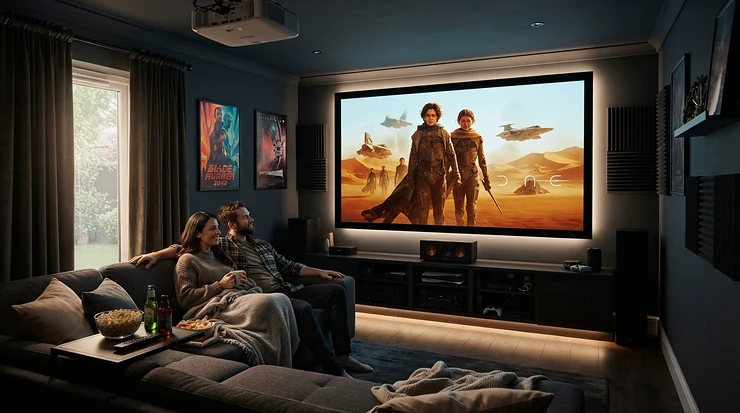
A projector for home theater with lens shift and zoom is a video projector whose lens can slide the image up, down, or sideways and resize it optically, without tilting the box or losing sharpness. Together, those two controls let you place the projector almost anywhere and still land a perfectly rectangular picture on your screen. 🎬
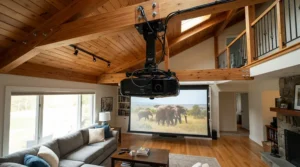
Here’s the trap most first-time buyers fall into. They obsess over brightness and 4K, then discover the projector can’t reach the screen from the only spot the room allows. Digital keystone correction can “fix” that, but it works by warping pixels, and warped pixels look soft. Optical tools move the lens itself, so every pixel stays exactly where it belongs. Recent roundups keep arriving at the same conclusion: powered zoom, focus, and lens shift are far more useful than leaning on digital correction. Projectors have been refining these lens designs for decades (the Wikipedia overview of video projectors is a decent primer), and the best modern models make the whole business painless.
This guide compares seven real projectors, from an Epson that costs about the same as a decent TV to a fully motorized flagship. Everything is built from manufacturer specs, expert reviews, and aggregated owner feedback. I haven’t personally tested any of these units, so treat what follows as analysis, not lab results. We’ll cover throw ratio, vertical lens shift range, motorized focus, and what to do when your couch, shelf, and screen refuse to line up. ⚡
Quick Comparison: 7 Home Theater Projectors With Lens Shift and Zoom
Think of this table as your cheat sheet. Specs come from manufacturer and retailer listings, and percentages are as published by each brand.
| Projector | Zoom & Throw Ratio | Lens Shift | Focus | Best For |
|---|---|---|---|---|
| Epson Home Cinema 2350 | 1.62x, 1.32–2.15:1 | Vertical ±60% only | Manual | Budget living rooms |
| Epson Home Cinema 3800 | 1.62x, 1.32–2.15:1 | V ±60%, H ±24% | Manual | Value-minded dedicated rooms |
| BenQ HT4550i | 1.3x, 1.15–1.50:1 | V 0–60%, H ±15% max | Manual | Smaller rooms, no lamp swaps |
| XGIMI Horizon 20 | 1.25x, 1.2–1.5:1 | V ±120%, H ±45% | Auto focus | Flexible smart setups |
| Sony VPL-XW5000ES | 1.6x, 1.38–2.21:1 | V ±71%, H ±25% | Manual | Native-4K purists |
| Epson Home Cinema LS11000 | 2.1x, 1.35–2.84:1 | V ±96.3%, H ±47.1% (motorized) | Motorized | Serious dedicated theaters |
| Epson Pro Cinema LS12000 | 2.1x, 1.35–2.84:1 | V ±96.3%, H ±47.1% (motorized) | Motorized | Contrast chasers with budget |
Looking at the comparison above, the XGIMI Horizon 20 posts the biggest shift numbers on paper, while the Epson Home Cinema LS11000 and Epson Pro Cinema LS12000 pair big shift with the widest zoom and motorized control. Budget buyers should note that the Epson Home Cinema 2350 offers no horizontal shift, so it demands a centered mounting spot. The BenQ HT4550i has the shortest zoom range of the group, which suits smaller rooms best.
💬 Just one click — help others make better buying decisions too!😊
Top 7 Projectors for Home Theater With Lens Shift and Zoom: Expert Analysis
Seven picks, ordered from budget to premium. Each entry explains what the specs mean in a real room, who the projector suits, and what owners consistently say about it. Prices are ranges only, because they move constantly. Check current price and availability before you buy.
1. Epson Home Cinema 2350 — cheapest way into proper optics
Epson’s entry-level 3LCD gives you a real glass zoom and vertical lens shift at a price where rivals often hand you a tilt foot and a prayer.
The zoom is 1.62x manual, with a 1.32–2.15:1 throw ratio. On a 100-inch screen, that means the projector can sit roughly 9.6 to 15.6 feet away, which covers most living rooms. Vertical shift of ±60% lets you ceiling-mount above the screen or shelf-mount below it. There’s no horizontal shift, though, so the projector has to sit near the screen’s centerline. Brightness is rated at 2,800 lumens, and a bundled Android TV dongle handles streaming.
My read: this is the right call if your mounting spot is naturally centered, such as a ceiling mount over the coffee table or a shelf directly behind the couch. If your seating is off to one side, step up to the next model. A retailer review summary says the zoom and lens shift make installation and customization a breeze. RTINGS frames it as a modest step up from Epson’s 1080 model in contrast and color.
Pros:
- ✅ Real vertical lens shift at an entry price
- ✅ Wide 1.62x zoom handles many room sizes
- ✅ Streaming dongle and voice remote included
Cons:
- ❌ No horizontal lens shift at all
- ❌ Manual focus and zoom only
Price range: around $1,100–$1,400 at the time of research. Verdict: strong value if your layout is centered.
2. Epson Home Cinema 3800 — best manual lens shift for the money
Most projectors at this price give you one axis of shift or none. The Epson Home Cinema 3800 gives you both.
You get ±60% vertical and ±24% horizontal manual shift, a 1.62x zoom, and a 1.32–2.15:1 throw ratio, plus 3,000 lumens from a 3-chip 3LCD engine. The horizontal shift is the quiet hero. It lets you park the projector a few inches off-center without touching a keystone slider, and 3LCD’s lack of a rainbow effect is a bonus for sensitive eyes. Input lag has been measured at roughly 20–28 ms depending on the test source, so it’s fine for casual gaming but not for competitive play.
The reasoning is simple. If you want a lens shift projector for off-center placement and your budget stops under $2,000, this is the most practical answer here. Sound & Vision’s review of the Epson Home Cinema 3800 highlights the generous shift range, low input lag, and backlit remote. Retail listings from a few sellers show it as discontinued or refurbished, so confirm availability.
Pros:
- ✅ Two-axis lens shift in a mid-priced body
- ✅ 3,000 lumens copes with some ambient light
- ✅ No rainbow effect from a 3-chip design
Cons:
- ❌ Lamp is rated around 3,500 hours (5,000 in eco)
- ❌ No built-in smart platform
Price range: roughly $1,400–$1,800, with availability varying. Verdict: the sweet spot for budget dedicated rooms.
3. BenQ HT4550i — an LED engine that never needs a lamp
BenQ swaps the lamp for a four-LED light engine, so the BenQ HT4550i trades a little brightness headroom for years of maintenance-free use.
It offers a 1.3x manual zoom with a 1.15–1.50:1 throw ratio, vertical shift of 0–60% (upward only), and horizontal shift of about ±15% at maximum. That horizontal figure shrinks as you use more vertical shift, so the numbers interact. The short throw ratio produces a big image from a short distance, which suits compact rooms. In a 100-inch setup, you’re looking at roughly 8.4 to 10.9 feet.
On paper this means a ceiling or shelf mount in a modest room, with decent flexibility. Sound & Vision’s reviewer found the zoom range a good match for a short theater but narrower than the range on pricier models, and wished for automatic focus. The 4K DLP image covers 100% of DCI-P3, and Android TV is built in.
Pros:
- ✅ LED source rated for 20,000–30,000 hours
- ✅ Two-axis shift plus Android TV built in
- ✅ Low input lag around 17.9 ms at 4K/60
Cons:
- ❌ Short 1.3x zoom limits placement range
- ❌ Manual focus and no motorized lens
Price range: around $2,500–$3,000, and one retailer lists it as discontinued, so verify stock. Verdict: ideal for small rooms where you hate changing lamps.
4. XGIMI Horizon 20 — biggest shift numbers in a compact body
The XGIMI Horizon 20 is the odd one out here, an RGB triple-laser DLP projector with a smart OS and unusually large lens shift.
Specs list ±120% vertical and ±45% horizontal shift, a 1.25x optical zoom, a 1.2–1.5:1 throw ratio, and 3,200 ISO lumens. Retailers disagree on whether the shift is motorized, with one European listing calling it mechanical, so verify before paying for a feature you want. Autofocus handles the sharpening. For a 100-inch image, that works out to roughly 8.7 to 10.9 feet of throw distance. Large shift percentages also cannot be compared 1:1 across brands, since manufacturers can measure from different reference points.
Who is it for? Anyone with awkward geometry and a living-room-first mindset. RTINGS places it among the better projectors at its price point and says it outperforms XGIMI’s older Horizon models in brightness and contrast. Streaming comes from built-in Google TV, and gaming latency is rated at 3 ms for 4K/60.
Pros:
- ✅ Huge claimed lens shift range on both axes
- ✅ Autofocus and Google TV built in
- ✅ RGB laser rated for about 20,000 hours
Cons:
- ❌ Short 1.25x zoom range
- ❌ Shift mechanism described inconsistently by retailers
Price range: generally in the high-$1,000s to low-$2,000s in roundups; check current price. Verdict: great flexibility per dollar for living rooms.
5. Sony VPL-XW5000ES — native 4K with a notably sharp lens
Where the others use pixel shifting, the Sony VPL-XW5000ES uses three native 4K SXRD panels.
It brings a 1.6x manual zoom, a 1.38–2.21:1 throw ratio, ±71% vertical shift, and ±25% horizontal shift, plus a 2,000-lumen laser source rated for 20,000 hours. On a 100-inch screen, the lens reaches about 10.0 to 16.1 feet away. The lens also has an aspherical element aimed at corner-to-corner sharpness, and Sony’s Digital Focus Optimizer helps near the edges.
Here’s the trade: this model drops motorized lens control and lens memory, which its predecessor had. Projector Reviews called that a worthwhile sacrifice for a brighter laser and better processing. Stereonet’s reviewer disliked manual controls but found the shift range made centering the image fairly easy. It’s best suited to a fixed setup where you adjust once and enjoy for years.
Pros:
- ✅ Native 4K panels and a sharp redesigned lens
- ✅ Laser light source needs no lamp swaps
- ✅ Healthy 1.6x zoom and two-axis shift
Cons:
- ❌ Manual lens controls with no memory presets
- ❌ Only 2,000 lumens, so it needs a dark room
Price range: premium tier, around $4,500–$5,500; verify current price. Verdict: superb for set-and-forget dedicated rooms.
6. Epson Home Cinema LS11000 — motorized everything with lens memory
If you’ve ever crawled on a ladder to nudge a lens, the Epson Home Cinema LS11000 feels like cheating.
It offers a 2.1x motorized zoom, a 1.35–2.84:1 throw ratio, and motorized shift of ±96.3% vertical and ±47.1% horizontal. Ten lens memory presets store zoom, focus, and shift. Projector Reviews notes that the more horizontal shift you use, the less vertical adjustment remains, so check the shift diagram for your exact mounting spot. The laser array is rated at 2,500 lumens, and 4K/120 gaming with input lag around 19.4 ms at 4K/60 is supported over HDMI 2.1.
Honest analysis: that 2.1x zoom is the star for optical zoom projector flexible installation. A 100-inch image can come from about 9.8 to 20.6 feet. It has no built-in speakers and isn’t a smart projector, so plan for an external streamer and sound system. Reviewers consistently praise the motorized lens for making setup effortless.
Pros:
- ✅ Fully motorized zoom, focus, and shift
- ✅ Ten memory presets for different screen formats
- ✅ Huge throw range for awkward rooms
Cons:
- ❌ No speakers or smart platform
- ❌ Heavy at around 28 pounds
Price range: roughly $3,800–$4,500. Verdict: the benchmark for flexible dedicated theaters.
7. Epson Pro Cinema LS12000 — same flexible lens, higher contrast ceiling
The Epson Pro Cinema LS12000 reuses the LS11000’s celebrated lens and spends the extra money on picture refinement.
Optics are identical on paper: 2.1x motorized zoom, 1.35–2.84:1 throw ratio, ±96.3% vertical, ±47.1% horizontal, and 10 lens memories. Home Technology Review notes the lens carries over from the 5050UB. Differences land in the picture, with rated brightness of 2,700 lumens and a manufacturer dynamic contrast figure of 2,500,000:1, versus 1,200,000:1 on its sibling. A reviewer also notes HDMI 2.1 support is partial, at up to 40 Gbps, which still permits 4K/120.
Who should care? Buyers who’ve already decided on this lens and want the best contrast Epson offers in this family. If your room has some light control, the Epson Home Cinema LS11000 may cover 90% of the experience for less.
Pros:
- ✅ Same powered 2.1x zoom and wide shift range
- ✅ Higher rated contrast and brightness than LS11000
- ✅ 4K/120 gaming support with low input lag
Cons:
- ❌ Costs noticeably more than its sibling
- ❌ Lens is identical, so lens-driven benefits don’t change
Price range: around $5,000–$6,000. Verdict: worth it only if contrast is your top priority.
Side-by-Side Spec and Price Recap
| Projector | Light Source & Brightness | Horizontal Shift | Price Range | Best For |
|---|---|---|---|---|
| Epson Home Cinema 2350 | Lamp, 2,800 lm | None | ~$1,100–$1,400 | Centered budget mounts |
| Epson Home Cinema 3800 | Lamp, 3,000 lm | ±24% | ~$1,400–$1,800 | Value dedicated rooms |
| BenQ HT4550i | LED, 3,200 lm | ±15% max | ~$2,500–$3,000 | Compact rooms |
| XGIMI Horizon 20 | RGB laser, 3,200 ISO lm | ±45% | High-$1,000s to low-$2,000s | Living-room flexibility |
| Sony VPL-XW5000ES | Laser, 2,000 lm | ±25% | ~$4,500–$5,500 | Native-4K purists |
| Epson Home Cinema LS11000 | Laser, 2,500 lm | ±47.1% | ~$3,800–$4,500 | Motorized convenience |
| Epson Pro Cinema LS12000 | Laser, 2,700 lm | ±47.1% | ~$5,000–$6,000 | Contrast priority |
The pattern is clear. Under $2,000, the Epson Home Cinema 3800 and XGIMI Horizon 20 are the flexible choices, while the Epson Home Cinema 2350 wins only if you can center the mount. Once you cross into motorized territory, the Epson Home Cinema LS11000 delivers nearly everything the Epson Pro Cinema LS12000 does for a noticeably lower price. Treat the Sony as the pick when native 4K resolution outranks lens automation.
Setup Guide: Dialing In Lens Shift, Zoom, and Focus Step by Step
Amazon listings never walk you through this, so here’s the order that saves the most frustration. 🛠️
- Measure first. Screen width × throw ratio equals throw distance. A 100-inch 16:9 screen is about 87 inches (7.3 feet) wide, so a 1.32–2.15:1 lens reaches roughly 9.6–15.6 feet.
- Temporarily place the projector at your intended spot before drilling anything. A stack of books and painter’s tape beat a ceiling hole.
- Zoom first. Set the image to fill the screen’s width, because zoom changes size, and shift only moves position.
- Use lens shift to center the image, not the projector’s feet. Start with vertical, then horizontal. Remember that using lots of one axis can reduce the other.
- Focus at the end, using a text-heavy pattern or menu screen from your seating position’s perspective, and re-check the corners.
- Level it. A tilted chassis makes you chase geometry problems that lens shift can’t solve.
- Lock your settings. On motorized models, store a lens memory preset for each screen format.
- Re-check after a few days. Thermal expansion and handling can nudge manual lenses.
- Avoid extremes. Owners on forums report softness at extreme zoom or shift settings, so aim for mid-range when possible.
- Only then touch keystone, if at all. It should be a last resort, not a first move.
A common first-30-days mistake is mounting before measuring, then discovering the lens can’t reach the screen. Keep the throw-distance math handy.
Real-World Scenarios: Which Projector Fits Which Room?
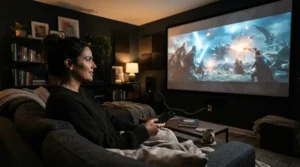
Let’s put the specs to work with three realistic households. 🏠
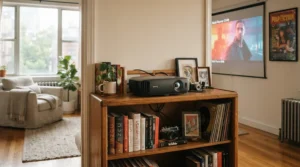
Scenario 1: The apartment renter with a bookshelf. Imagine a 12-foot-deep living room and a 100-inch screen, with a bookshelf behind the couch that sits slightly left of center. The Epson Home Cinema 3800 fits, because its ±24% horizontal shift tolerates the offset and its 1.62x zoom covers the distance. Budget is roughly the high-$1,000s at most, and use is a few nights a week.
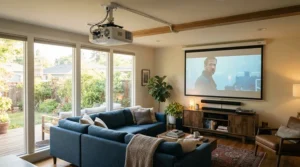
Scenario 2: The family room with a ceiling mount. Picture an 8-foot ceiling and a screen centered about 4 feet up, so the lens sits roughly 4 feet above the image center. On a 100-inch screen, that offset needs vertical shift near the top of the range of most models. Here the Epson Home Cinema LS11000 (±96.3%) is the safer choice, and the XGIMI Horizon 20‘s ±120% claim is also tempting, though you’d confirm the mechanism.
Scenario 3: The dedicated theater with a scope screen. A room built around a 2.35:1 screen needs different zoom and shift for each format. Ten lens memories on the Epson Pro Cinema LS12000 or Epson Home Cinema LS11000 switch between them in a button press. A manual-lens model like the Sony VPL-XW5000ES can still work, but you’d readjust by hand whenever the format changes.
The takeaway: match lens geometry to the room first, then shop picture quality inside that shortlist.
✨ Don’t Miss These Exclusive Deals!
🔍 Take your home theater setup to the next level with these carefully selected projectors. Click on any highlighted item to check current pricing and availability. These picks will help you create a cinema-grade picture your family will love!
How to Choose a Projector for Home Theater With Lens Shift and Zoom
Follow these six steps in order and you’ll avoid most regrets.
- Measure your screen width and throw distance. Divide distance by width to find the throw ratio you need, then shortlist models whose range contains it with room to spare.
- Choose the zoom range you need. A wider optical zoom absorbs measurement errors and lets you move the projector later.
- Check where the projector will physically sit. Ceiling mounts demand vertical shift above or below the screen; side shelves demand horizontal shift.
- Read the shift specs carefully. Look for whether shift is bidirectional and whether the axes interact.
- Decide how much manual work you’ll tolerate. If you’ll switch screen formats, motorized lens memory is worth real money.
- Weigh light source and maintenance. Lamps need swaps, while LED and laser sources run for years.
If two projectors tie, the one with wider zoom and shift usually wins, because it forgives imperfect measurements.
Throw Ratio: The Number That Quietly Decides Everything
The throw ratio is the distance from lens to screen divided by image width, and it’s the first spec to check. A ratio of 1.5:1 means a 10-foot-wide image needs a 15-foot throw. Lower ratios sit closer to the screen. Projector Reviews’ lens guide classifies roughly 1.4:1 to 4:1 as standard throw, which is where all seven projectors here live.
Here’s what that looks like on a 100-inch screen. The BenQ HT4550i reaches about 8.4–10.9 feet, the XGIMI Horizon 20 about 8.7–10.9 feet, the Epson Home Cinema 3800 about 9.6–15.6 feet, the Sony VPL-XW5000ES about 10.0–16.1 feet, and the Epson Home Cinema LS11000 about 9.8–20.6 feet. The wider the range, the more forgiving your placement.
A practical caution: manufacturer throw ratios and independent measurements can differ slightly, so RTINGS-style calculators sometimes show a marginally different range than the spec sheet. Always run your numbers through the maker’s throw calculator before drilling.
Lens Shift Projector for Off-Center Placement: What It Fixes
Lens shift moves the projected image without tilting the projector, so geometry stays square and no pixels get warped. That’s the entire value proposition of a lens shift projector for off-center placement: you keep the box where the room wants it and still get a clean rectangle. As one projector-rental explainer puts it, a lens with very limited shift is “on axis,” meaning it must sit nearly dead-center to the screen.
Here’s how it compares with the alternatives.
| Method | What It Does | Image Quality Impact | Best For |
|---|---|---|---|
| Optical lens shift | Physically slides the lens | None when used moderately | Ceiling, shelf, or off-center mounts |
| Digital keystone | Warps the image electronically | Softness and scaling artifacts | Quick fixes only |
| Tilting the projector | Angles the whole unit | Trapezoid distortion | Temporary table setups |
Lens shift clearly wins on quality, with digital keystone as the emergency fallback. The Epson Home Cinema 3800 and XGIMI Horizon 20 deliver this for off-center rooms at lower prices, while the Epson Home Cinema LS11000 adds motors. Reserve keystone for the last few millimeters.
Optical Zoom Projector for Flexible Installation: How Much Is Enough?
Optical zoom changes image size without moving the projector or sacrificing resolution, which is why an optical zoom projector for flexible installation can adapt when you upgrade your screen or rearrange the room. Digital zoom, by contrast, just crops pixels.
The zoom ratios here tell you how much slack you get. The BenQ HT4550i (1.3x) and XGIMI Horizon 20 (1.25x) are tuned for tighter windows, which suits predictable rooms. The Epson Home Cinema 2350, Epson Home Cinema 3800 (both 1.62x), and Sony VPL-XW5000ES (1.6x) offer comfortable middle ground. The Epson Home Cinema LS11000 and Epson Pro Cinema LS12000 at 2.1x are the most forgiving.
Practical advice: if you’re certain the projector will never move, a modest zoom is fine. If you rent, plan to relocate, or might upgrade the screen, buy zoom headroom now.
Vertical Lens Shift Range: How Much Do You Really Need?
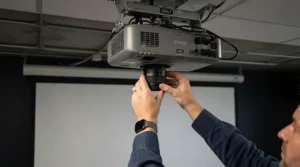
The vertical lens shift range tells you how far above or below the lens axis the image can sit. A rough translation: on a 100-inch 16:9 screen (about 49 inches tall), ±60% shift moves the image about 29 inches, ±71% about 35 inches, ±96.3% about 47 inches, and ±120% about 59 inches.
Those numbers matter when you mount high. A ceiling projector sitting well above screen center needs a big offset, which is where the Epson Home Cinema LS11000, Epson Pro Cinema LS12000, and XGIMI Horizon 20 earn their keep. The BenQ HT4550i shifts only upward (0–60%), so it’s built for table mounts below the screen or inverted ceiling mounts above it. The Epson Home Cinema 2350 and Epson Home Cinema 3800 at ±60% suit moderate ceiling drops.
One more wrinkle: shift percentages are not always measured from the same reference point across brands, so compare cautiously and rely on mounting diagrams.
Motorized Focus: Luxury or Necessity?
Motorized focus lets you sharpen the image from your seat with a remote instead of reaching the lens. Is it worth the premium? For fixed installs, often not. For frequent adjustments, yes.
The Epson Home Cinema LS11000 and Epson Pro Cinema LS12000 pair motorized focus with powered zoom, shift, and ten memories. The XGIMI Horizon 20 offers autofocus instead. The BenQ HT4550i and Sony VPL-XW5000ES use manual rings, and Sound & Vision’s reviewer specifically wished BenQ had included automatic or motorized focus. Projector Reviews argued that many owners adjust the lens mainly during setup, so manual lenses go unmissed in many installs.
My take: pay for motorized focus if the projector is ceiling-mounted out of reach, if you use multiple screen aspect ratios, or if your focus drifts as the unit warms. Otherwise, spend that money on a better screen.
Common Mistakes When Buying a Home Theater Projector With Lens Shift
Avoid these pitfalls. 🚫
- Trusting digital keystone. It’s a rescue tool, not a plan. Optical shift keeps the image clean.
- Ignoring axis interaction. Maximum horizontal shift often reduces vertical range, as seen with both BenQ and Epson specs.
- Buying on lumens alone. Brightness helps, but poor lens geometry makes a bright projector useless in your room.
- Skipping the throw calculator. The best-looking spec sheet means nothing if the lens can’t reach the screen.
- Assuming big percentages are apples-to-apples. Different brands can reference different zero points, a nuance explained in Barco’s lens lexicon.
- Forgetting availability. Some models here appear discontinued or refurbished at retailers, so confirm stock and warranty.
Long-Term Cost and Maintenance: Lamp vs LED vs Laser
Sticker price is only half the story. A lamp-based projector like the Epson Home Cinema 3800 is rated around 3,500 hours (5,000 in eco), which at four hours a day is roughly 2.4 to 3.4 years before a lamp swap. Check the replacement lamp price for your model before buying.
By contrast, the BenQ HT4550i LED engine is rated 20,000 hours (30,000 in eco), and the XGIMI Horizon 20, Sony VPL-XW5000ES, Epson Home Cinema LS11000, and Epson Pro Cinema LS12000 use laser sources around 20,000 hours. At four hours daily, that’s close to 14 years.
The practical math: a cheaper lamp projector can cost more over a decade once you add replacement lamps and downtime. If you watch daily, lean toward LED or laser. If you watch weekly, the Epson Home Cinema 2350 or Epson Home Cinema 3800 still make financial sense. Also budget for a decent mount, a long HDMI cable, and a dedicated screen, since the lens can only do so much with a bumpy wall.
FAQ
❓ What throw ratio do I need for a 120-inch screen in a 14-foot room?
❓ Can I ceiling mount a projector with only vertical lens shift?
❓ Do lens shift and zoom reduce picture quality?
❓ Which projector is best under $2,000 for lens shift?
❓ Do I need HDMI 2.1 for console gaming on these projectors?
Conclusion
Finding the right projector for home theater with lens shift and zoom is less about chasing the biggest brightness number and more about matching optics to your room. Measure your throw distance, decide where the projector must sit, and let lens shift and zoom absorb the rest.
For tight budgets and centered mounts, the Epson Home Cinema 2350 is hard to beat. If your seating or shelf sits off-center, the Epson Home Cinema 3800 and XGIMI Horizon 20 give you real flexibility. Small rooms and no-maintenance fans will like the BenQ HT4550i, while native-4K lovers should look at the Sony VPL-XW5000ES. And if you want motorized convenience with lens memory, the Epson Home Cinema LS11000 is the sweet spot, with the Epson Pro Cinema LS12000 reserved for contrast chasers. Always confirm current price and availability, since stock and pricing change.
Whatever you choose, remember the order of operations: throw ratio first, lens shift range second, picture quality third. Get the geometry right and the movie nights take care of themselves. 🍿
✨ Don’t Miss These Exclusive Deals!
🔍 Take your home theater setup to the next level with these carefully selected projectors. Click on any highlighted item to check current pricing and availability. These picks will help you create a cinema-grade picture your family will love!
Recommended for You
- [Add your blog post link 1]
- [Add your blog post link 2]
- [Add your blog post link 3]
Disclaimer: This article contains affiliate links. As an Amazon Associate, I earn from qualifying purchases. If you purchase products through these links, we may earn a small commission at no additional cost to you.
✨ Found this helpful? Share it with your friends! 💬🤗
